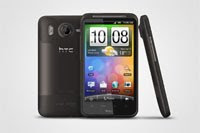
Hopefully, for those of you who have a Desire HD or even any Android device, have been inspired to be granted Root permissions if possible. Now if done so you should be looking for things to do, I know did and the first things I did was remove bloat ware apps (apps that come pre-installed), then I wanted to try out customs roms and most importantly customize my phone to look different from stock. Basically to look more sophisticated and sexy.
This when I started browsing the Themes & Apps forum over at XDA to find out more. Heres a list of the things I did
1. Theme - If not already using a themed ROM, e.g the Coredroid HD Rom I'm using or equivalent, then search through this forum to find something that suits you, most will have instructions on how to flash. I suggest the honeycomb themes because these are looking really sleek.
2. Small Mods - the Coredroid team offer a couple of flashable mods that I love, circle battery instead of the stock that has percentages, rosie launcher - changes the menu brought up when the bottom right 'Personalize' button next to phone on the home screen is pressed; and transparency on the notification pull down. These can be easily found for devices in general
3. Splash Image - The splash image is the very first image that comes up when you turn on your device. Now I have an unbranded Desire HD meaning it isn't locked to any telcos and I'm not to sure about splash images for branded DHD's, but mine just comes up with the HTC logo.
Anyway the clever guys over at XDA found the way to change that image in order for those who wish, to customize their phone further. Guide found here
Flashing a splash image and the
Splash image thread gives a grand selection of what others have made and a way to make your own.
I turned this now simple but mediocre splash image into this


Some have also found this knowledge to be handy in order to create a splash image that cleverly states who the owner is in case of a lost or stolen situation. This is very useful because the Splash image cannot be removed unless you flash the old back into place, even if the phone is factory reset. So if anyone tries to steal your precious device they will forever be reminded it is stolen... unless they are smart enough to find out how to remove it.
4. Bootanimations - This is easily explained. As the device loads or boots up there is an animation that plays on the screen. Once again not sure with branded/unbranded by my DHD has the HTC quietly brilliant the same as the one pictured above and the "quietly brilliant" text fades in and out.
Once again thanks to the clever guys at XDA we have a heap of threads on individual bootanimation designs as well as different threads showing newly created ones.
Going with the theme of windows phone as seen in my splash I discovered a BIOS bootanimation from a bit of an older windows computer, found here
XDA Bios Bootanimation, funnily enough I found the sound file to go with it just for some extra laughs but this now conveniently included in the pack.
Giving us this
Although the bootanimaton isn't as permanent as the splash image, you can still use it to cleverly mock anyone trying to steal your phone
5. Shutdown animations - same concept as the bootanimation but for the DHD they have been found to be a bit more trickier to put together but there is solution here
Shutdown Animation Thread. I am still yet to find a nice shut down animation, Was looking at making one similar to that of the old windows 98 shut down process to go along with the 'theme' :P
6. Custom fonts - enough said here by the title, can find different packages once again Coredroid Team provides some. But I haven't used them because I'm pleased with whats on offer
7. 3rd party home launchers - if your getting sick of the stock launcher it is also possible to replace this with quite a few different ones, I believe you can find some in the themes packs. But of the top of my head you can use ADW which is quite a handy one. Of course for this root isn't required though. I don't use them because I am all to happy with HTC Sense
Alright I thought I had some more but can't think of them right now.
If you can, give me a comment and I made add it to the list :)
 when my friend bought one.
 and Motorola Atrix
 . I stated it came in second for me out of the new dual-core flagship phones.